Hyundai Motor Group
Designing Context-aware Route Recommendation for Hyundai EV Drivers
- Product Design Internship
- Strategic Concept
- End to End
What I did
My role
As a product design intern, I worked with the multidisiplinary team of interns to deliver a strategic concept EV route recommendation flow as part of Hyundai’s SDV roadmap exploration. The final deliverable was a validated design concept presented to 15+ executives. As a sole designer, I…
- Led end-to-end UX research and product design
- Prototyped animations and created visual assets
- Partnered with the PM to design product strategy
What Improved
Impact
- Decision time (45s → 8s)
- -82%
- Confidence in charging decisions
- +30%
- User preference over baseline
- 5/5
Context
EV route planning depends on multiple variables, such as battery efficiency, weather, road conditions, and charging station availability
After conducting survey with 81 EV drivers, we found out that 60.5% of the drivers experienecd changing plans due to charging and 55.1% has high level fo stress due to changed charging schedule.
Have you ever changed your plans due to charging?

How is your level of stress caused by the changed schedule due to charging?

Problem
Existing navigation doesn't reflect EV-specific needs, so drivers switch between multiple apps to build one plan on their own
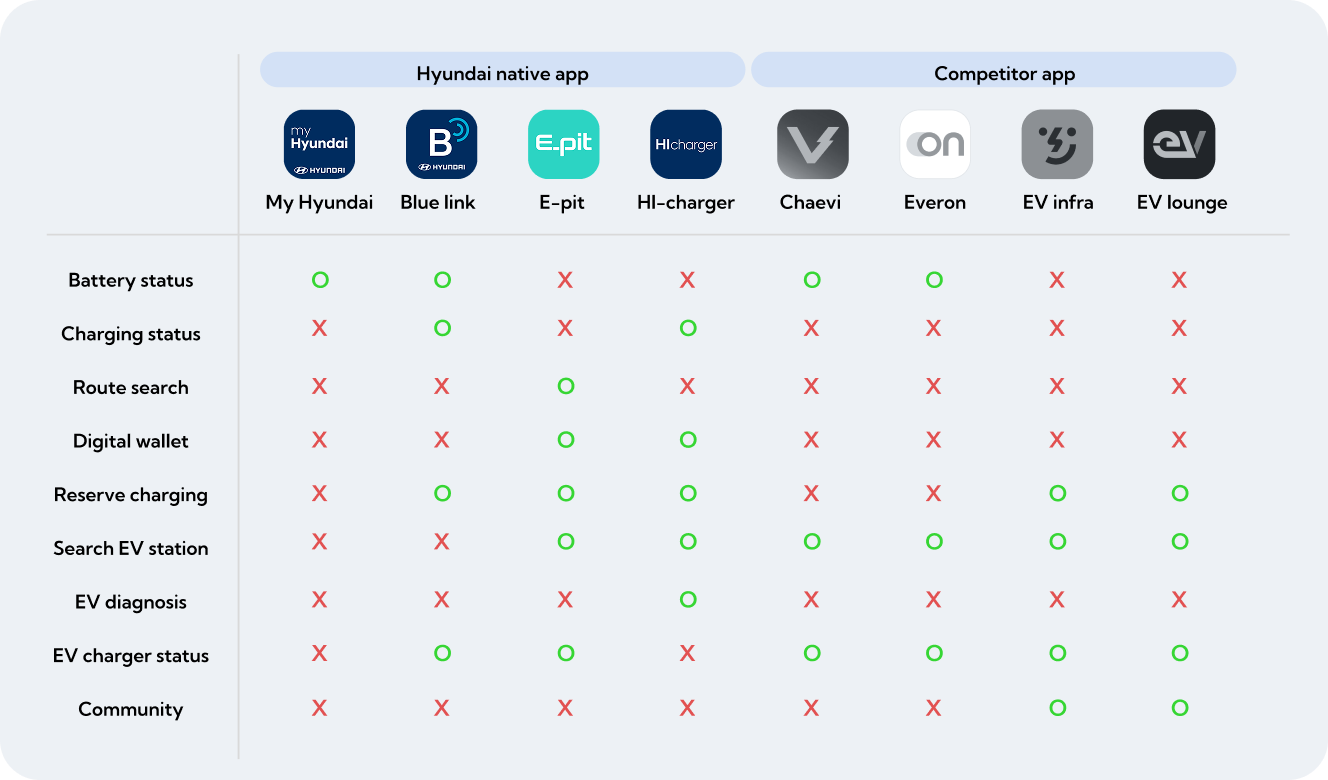
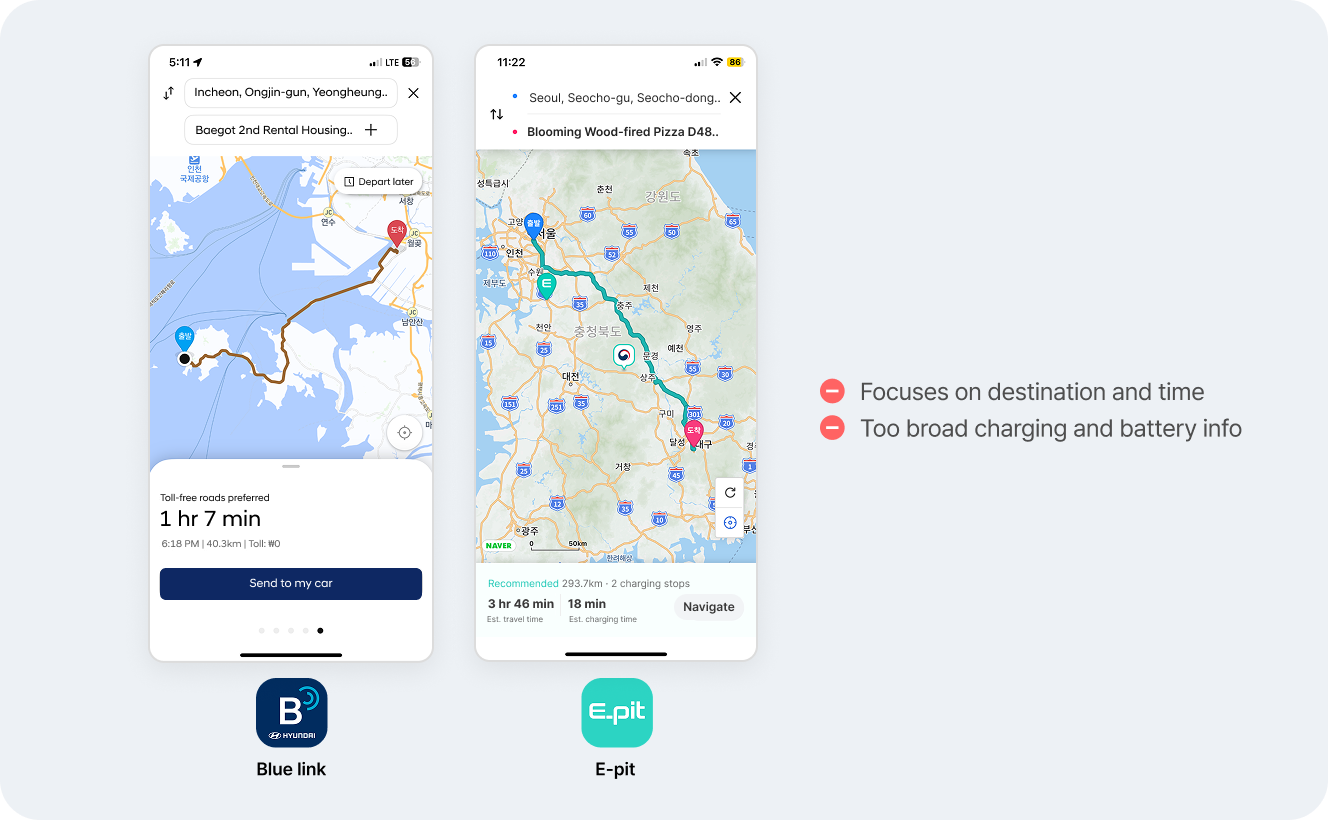
Fragmented planning across multiple apps
Through competitive analysis, I found out that EV related functions were scattered around multiple apps, forcing drivers to manually switch between apps while route search.
Charging shown as an afterthought
Existing route recommendations don't factor in battery or charging needs. Charging is presented as a separate feature, not part of the route itself.
Vehicle data disconnected from routing decisions
Battery telemetry, driving behavior, and charging history exist — but don't inform recommendations. Drivers get generic routes instead of personalized ones.

Research & Insights
EV drivers need context-aware route recommendation optimized for battery and various senarios
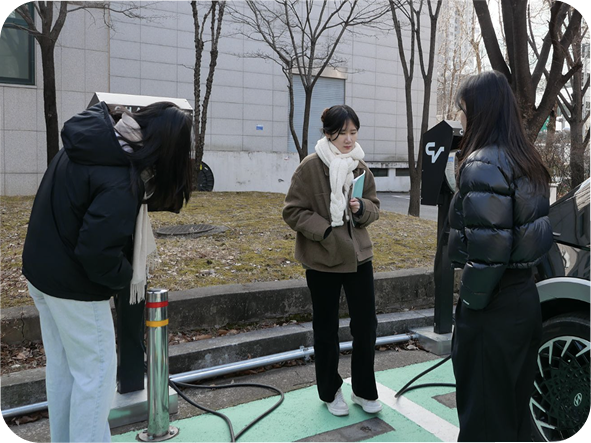
After interviewing 3 EV taxi drivers, we shifted from thinking about charging as a single event to thinking about it as contextual moments.
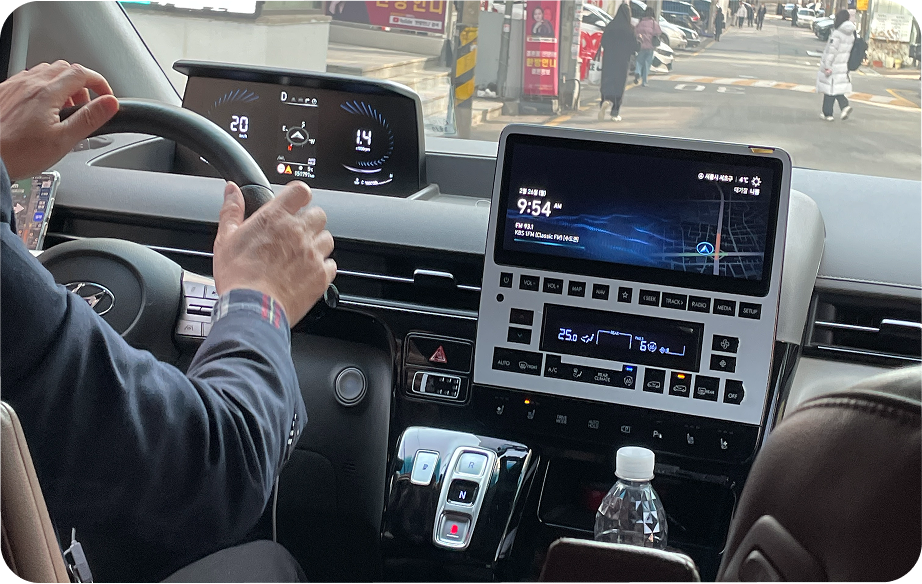
- “I used to trust the range estimate but I’ve been towed more than once after running out of battery.”
- “The app recommends stations I’d never use. It doesn’t know I always go to the same charging station.”
- “I’m not sure if the range shown after charging actually reflects how far I can go.”
Product Strategy
Redesigning Bluelink's navigation for personalized EV routing
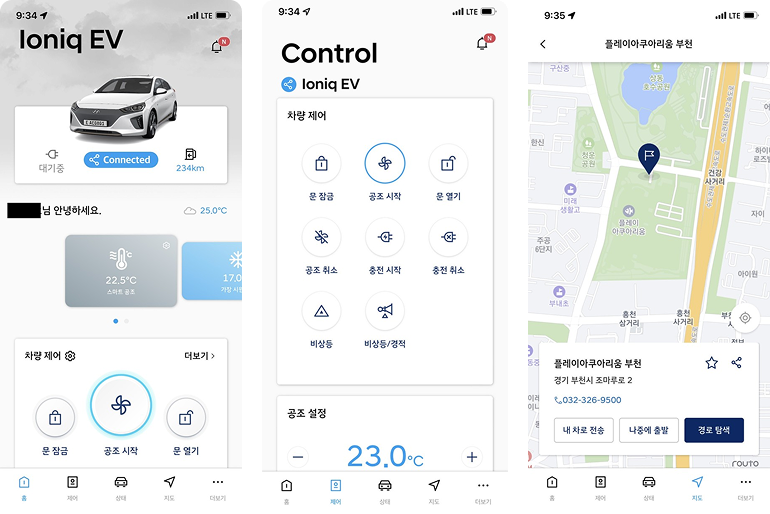

What is Bluelink?
Hyundai's subscription-based companion app for vehicle control and navigation
Why integrate into Bluelink specifically?
Integrating charging-aware routing into Bluelink serves both drivers and business

For Drivers
- One app for all EV needs
- Smarter route recommendations

For Business
- Cleaner driver data collection
- Higher retention for subscriptions
- Lower operating costs
Design Strategy
Design principles
Based on the key insight, these are some of the things that were prioritized to align it with product strategy.
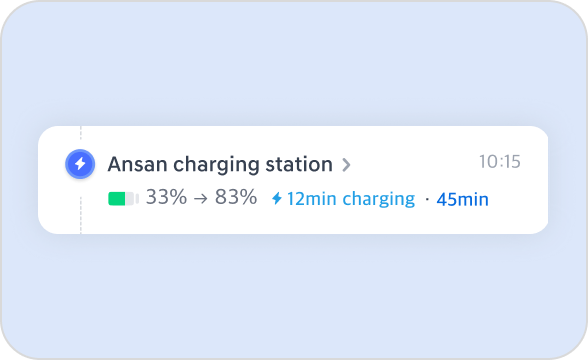
Minimize cognitive load
Prevent cluttered information that can cause decision fatigue
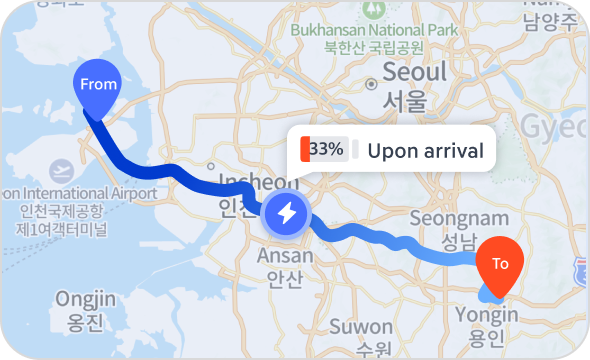
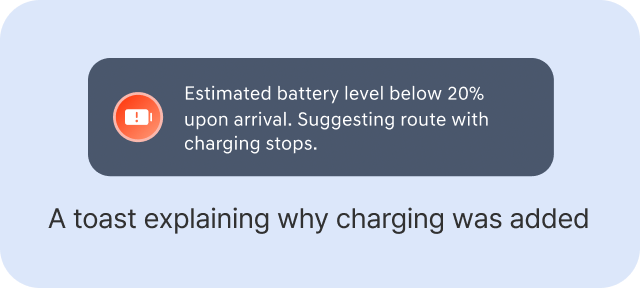
Clear rationale for recommendations
Every recommendation reflects real vehicle telemetry
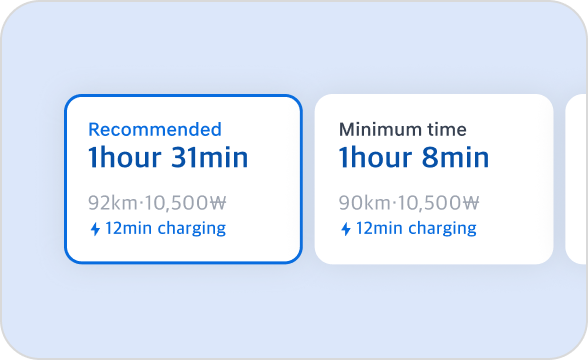
Balance recommendation with control
Recommend the best option, but keep alternatives accessible
Design Audit
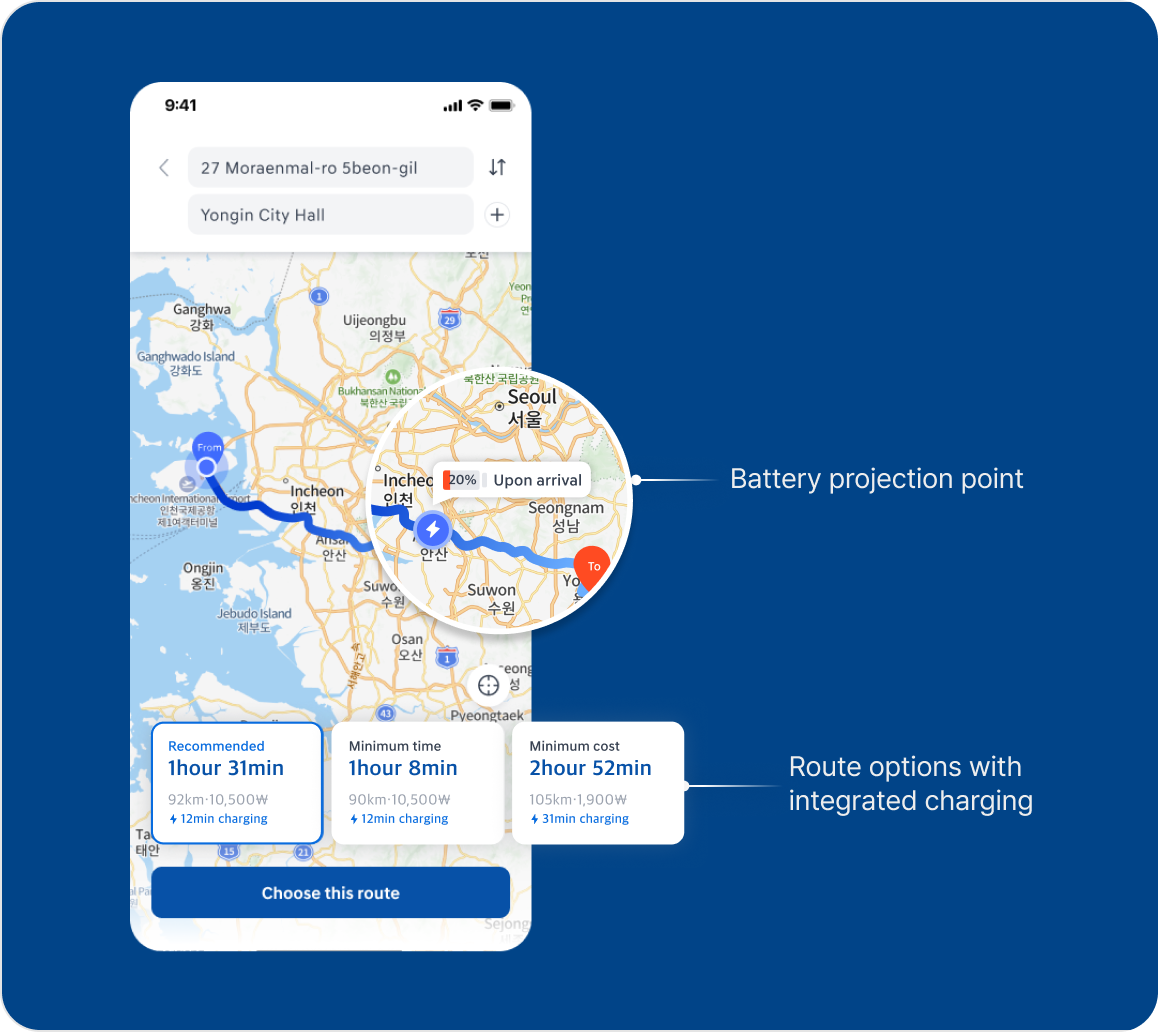
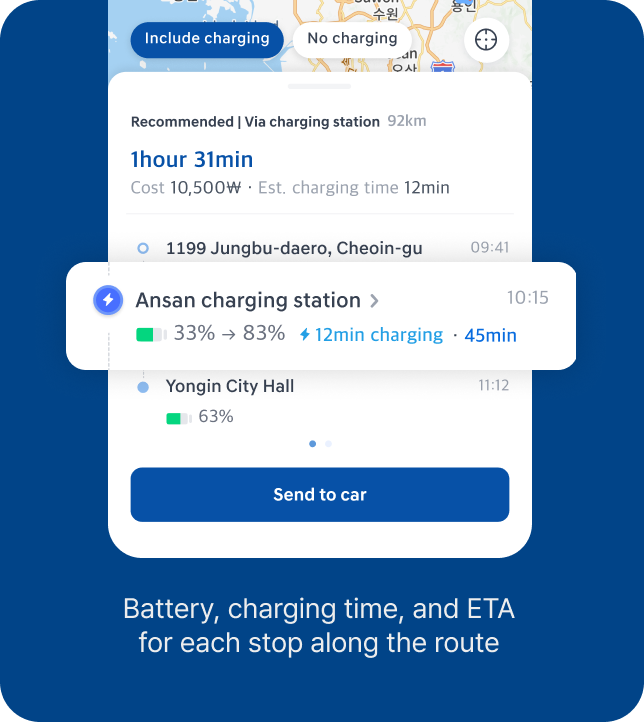
Reinforcing Bluelink's routing interface with EV-specific context
I started the design by surfacing battery and charging information at moments when drivers actually need to decide.
Design Iteration
Finding the right level of automation for charging decisions
Next, I iterated on three versions based on feedback from 5 users. The design choice was focused on surfacing recommended route considering user needs and context.
Iteration 1 : Default Route with Editable Station
Description
Kept the existing navigation structure and added a charging station along the recommended route by default. Users could tap to explore or change stations.
Feedback
- Negative:Didn't realize other route options were available
- Negative:Struggled to compare stations without context
- Negative:Familiar flow, but not EV-optimized
Iteration 2 : All Options Visible at Once
Description
Exposed all route options as filter chips allowing everything visible at once.
Feedback
- Negative:Too much info to scan
- Negative:Hard to remove charging from a selected route
- Positive:Easy to compare different routes
Iteration 3: Two-Step Decision(Chosen)
Description
Split routing into two decisions. Users pick route priority first, then decide on charging.
Feedback
- Positive:One decision at a time reduces overwhelm
- Positive:Easy to adjust route decision
Final Design
Final navigation flow

Validation
A charging-aware routing concept validated for driver confidence and Hyundai's SDV roadmap.
I ran a comparative usability test with 5 EV drivers across the existing Bluelink flow and the redesigned prototype. The final concept was presented to 15+ Hyundai executives across product, design, and business teams and selected as a reference direction for Hyundai's Software-Defined Vehicle (SDV) roadmap.
- Decision time (45s → 8s)
- -82%
- Confidence in charging decisions
- +30%
- User preference over baseline
- 5/5

This concept clearly reflects how EV drivers actually think about charging. It's a strong reference for where Bluelink's navigation should go.

If this shipped
How I'd measure long-term success
Because this was a strategic concept, I didn't have access to post-launch data. If Hyundai built this, I'd measure:

Driver Adoption
- Route recommendation acceptance rate
- Reduction in third-party app switching


Business Impact
- Bluelink retention for EV charging tasks
- Data foundation for future features

Reflection
Learnings
Balancing automation with driver control
In high-stakes EV contexts, I learned that the most effective UX isn't just recommending the optimal route, but providing a transparent rationale while leaving final control in the driver's hands.
Designing for contextual moments, not static features
Shifting charging from a static feature to a contextual event was key. Surfacing information at the exact moment of decision drastically cut decision time.
Narrowing the project to a feasible scope
In an 8-week timeline, solving all fragmented app problems was impossible. Partnering closely with PMs to scope down allowed us to deliver a validated concept.